
Informatica
Dashboard redesign
Redesigning the Master data managment dashboard to help IT and data managers turn complex enterprise data into actionable insights.
Project Overview
🧑💻 Role & Scope
UX/UI Designer
2023
Cloud native desktop
Collaborators: UX, Visual, UXR, Product, Dev & Data science teams
UX/UI Designer
2023
Cloud native desktop
Collaborators: UX, Visual, UXR, Product, Dev & Data science teams
⚠️ Problem
The existing dashboard lacked flexibility and personalization, limiting users to a single system-generated view of common reports and resulting in low satisfaction (5.8/10).
🚀 Impact
+50%
User satisfaction
#1
Most used feature
Global
Design system adoption
🚀 Impact
+50%
User satisfaction
#1
Most used feature
Global
Design system adoption
About MDM 360
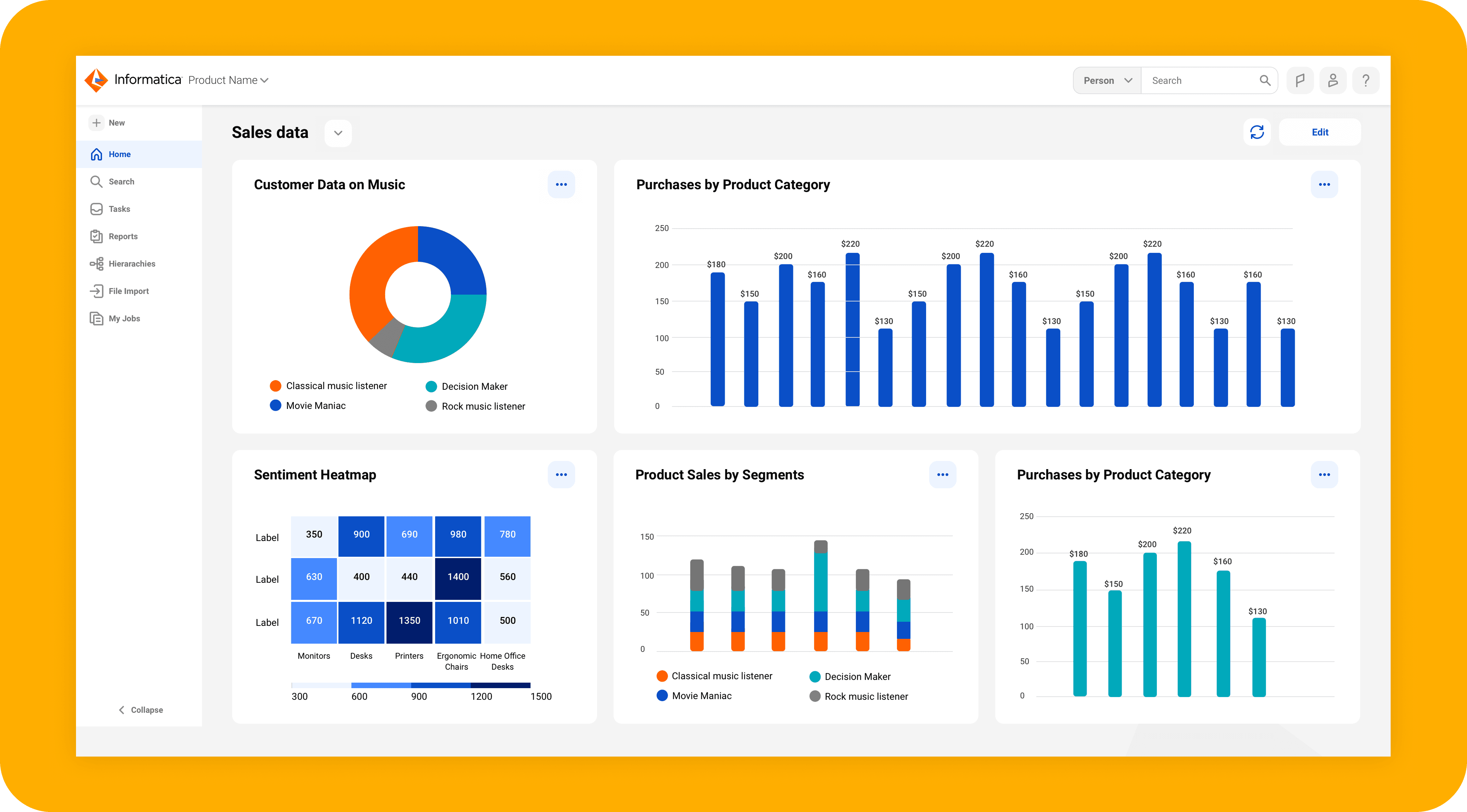
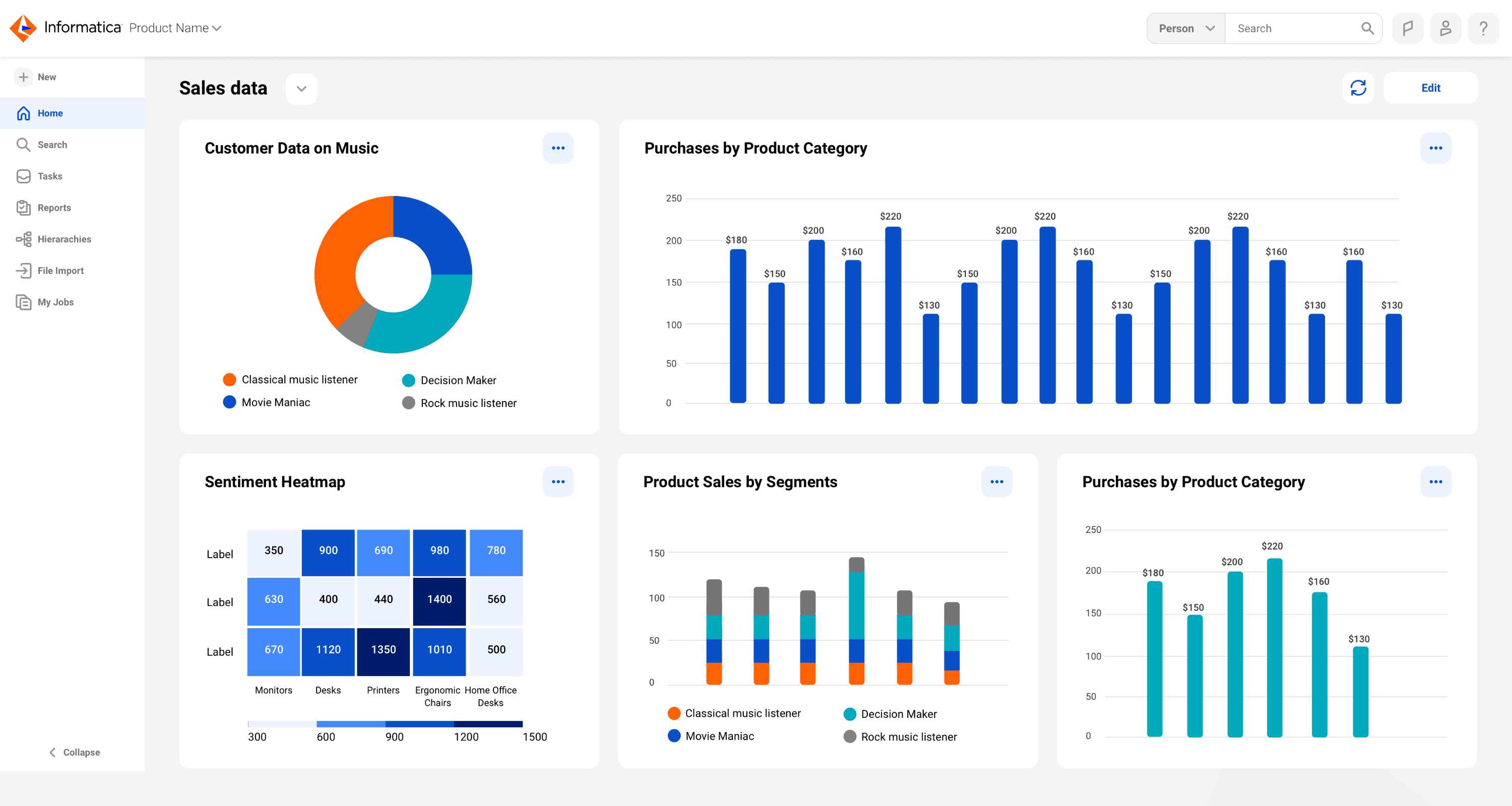
Users of the MDM (Master data management) platform would typically host large volume of data regarding their business entities over a period of time. The data is organized to users over lists of reports, each individual report has an option for a visual representation that can be shown over the app dashboard.
The problem
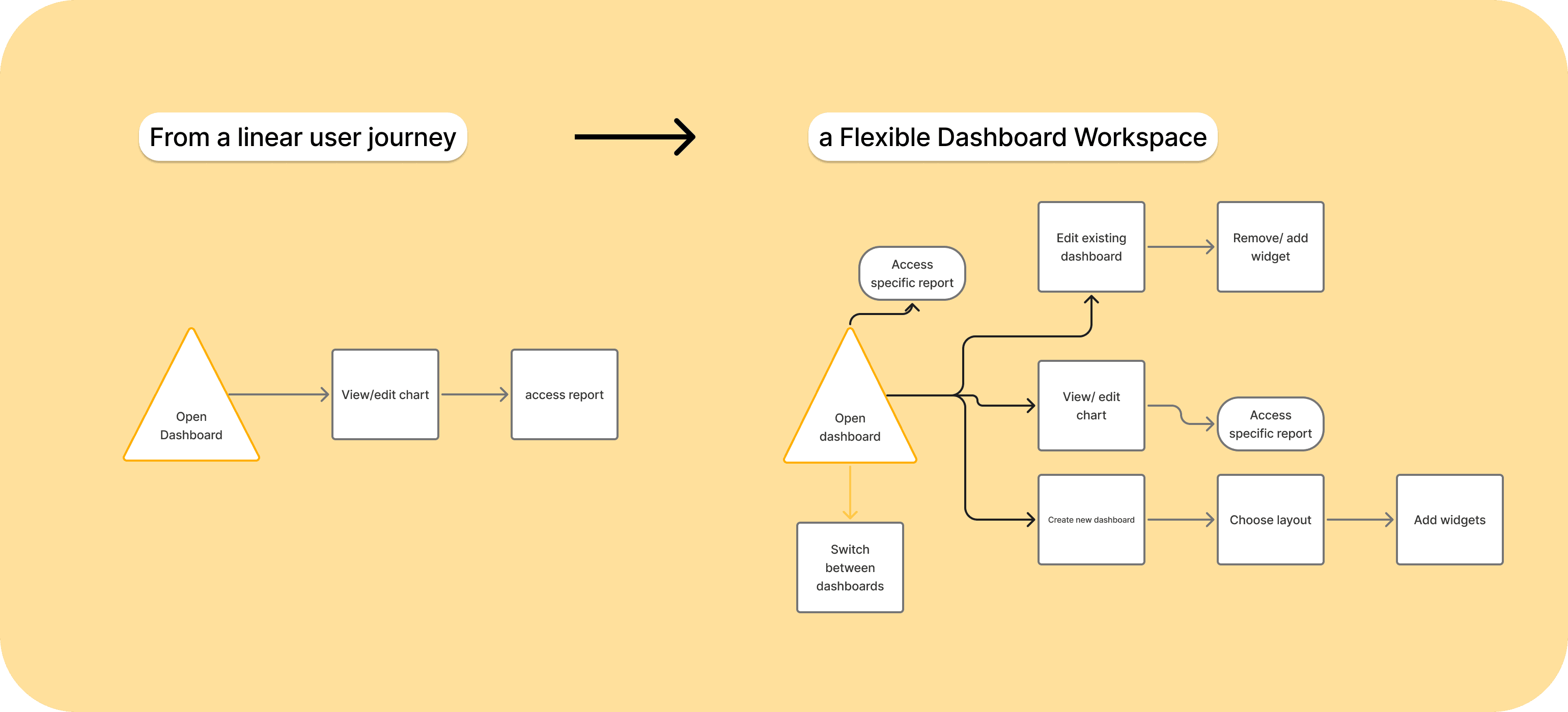
User research showed low user satisfaction (5.8/10) with the current dashboard experience. The current solution had limited capabilities compared to exciting solutions in the market: Users could have one non-personalized dashboard that was generated by the system based on a defaulted layout and presented only visual data of the most used reports. Users couldn't create multiple dashboards and manage them in one place, based on their personal business needs.
My goal
Provide users with a dashboard experience that will allow them to consume multiple visual data based on their business needs and make business decisions based on this data.
Grounding the problem with data
27
CX interviews
~11K
User surveys
10
1:1 user interviews
1:1 user interviews
Key insights
Users need a way to remove/ edit widgets on the dashboard
Users want to control/ customize the type of visual representation that will be presented for individual report
Users need an environment to create and manage multiple dashboards
New user journey
✅ Dashboards view
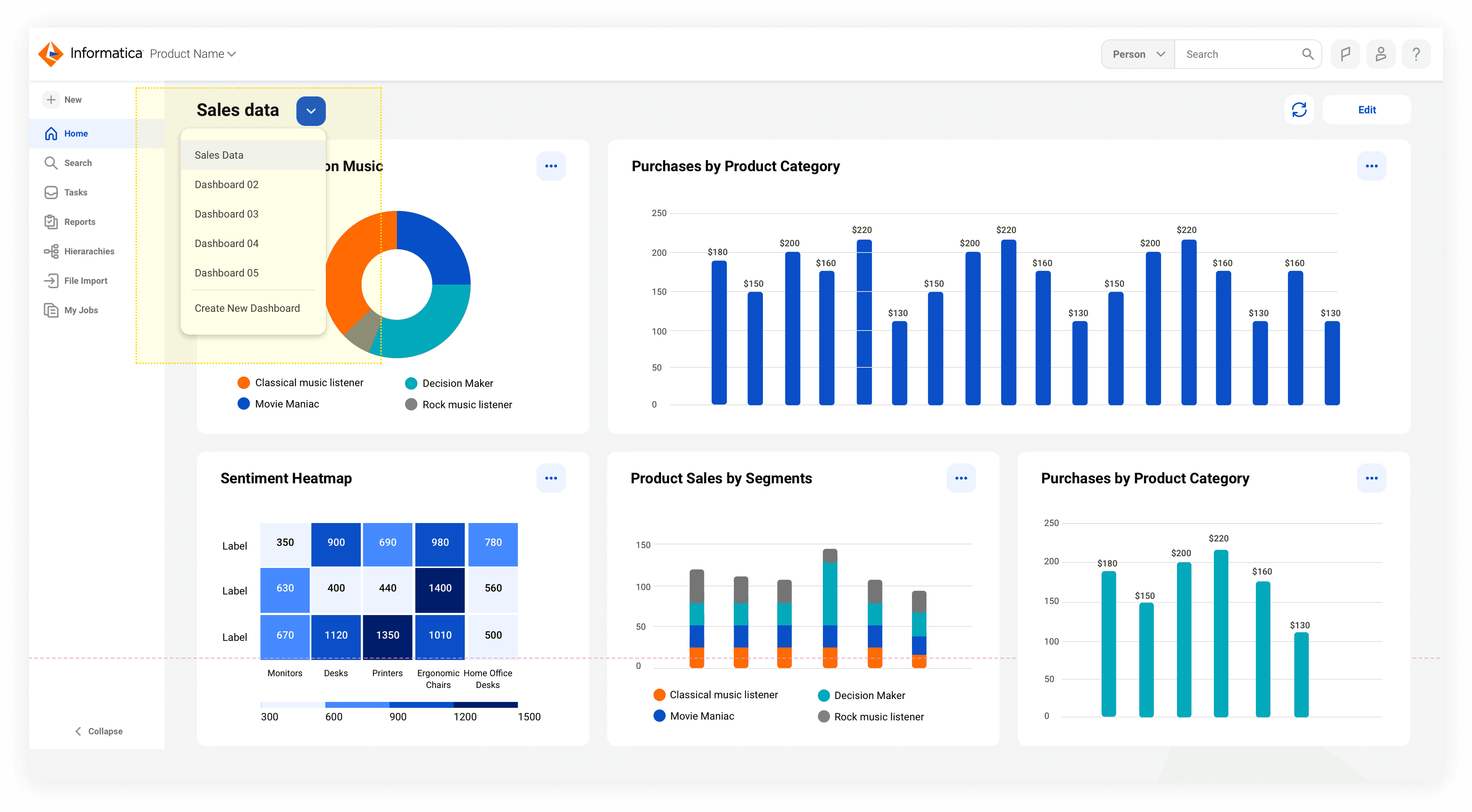
✅ Dashboards view
✅ Access chart and report details
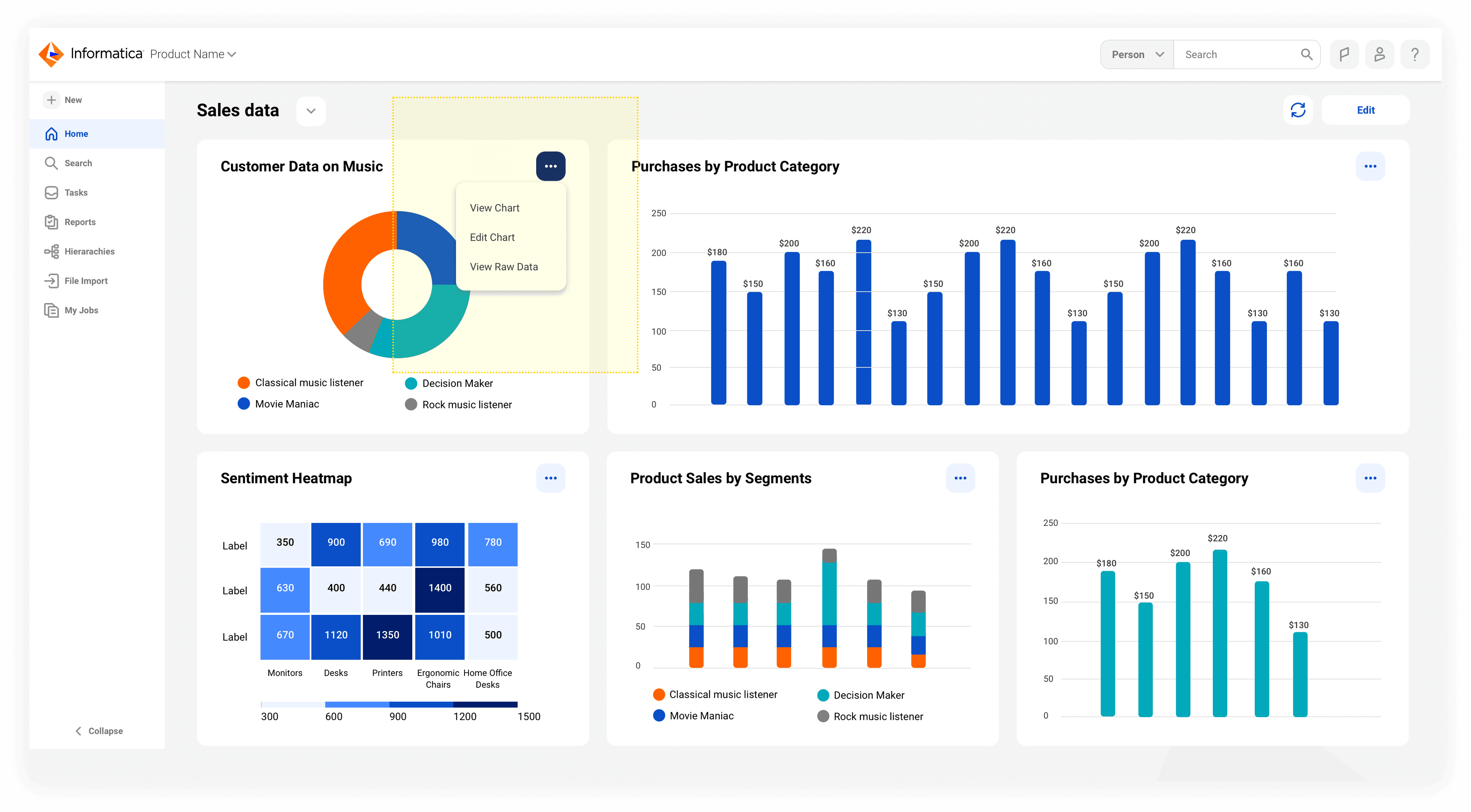
✅ Access chart and report details
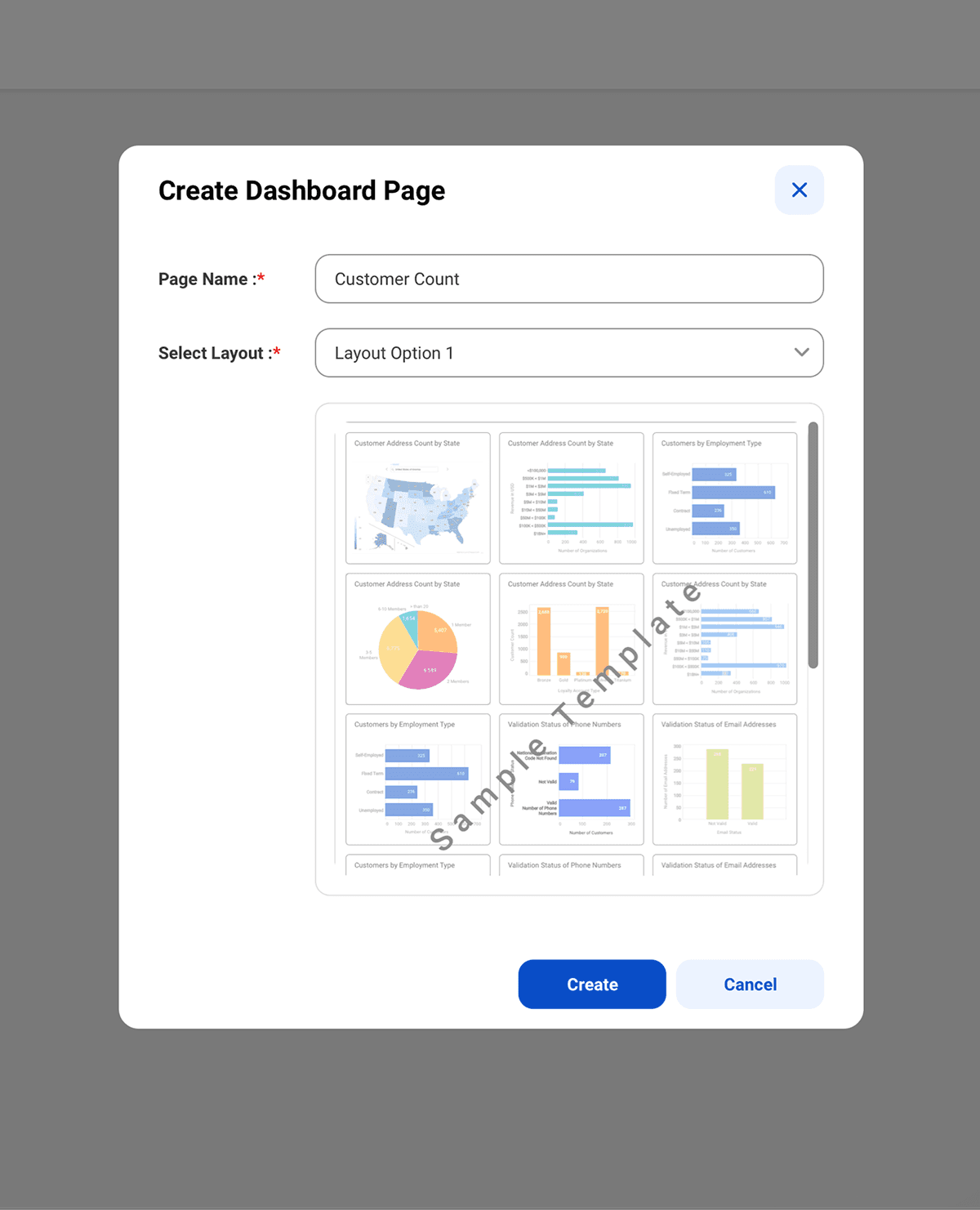
✅ Edit mode for a dashboard page
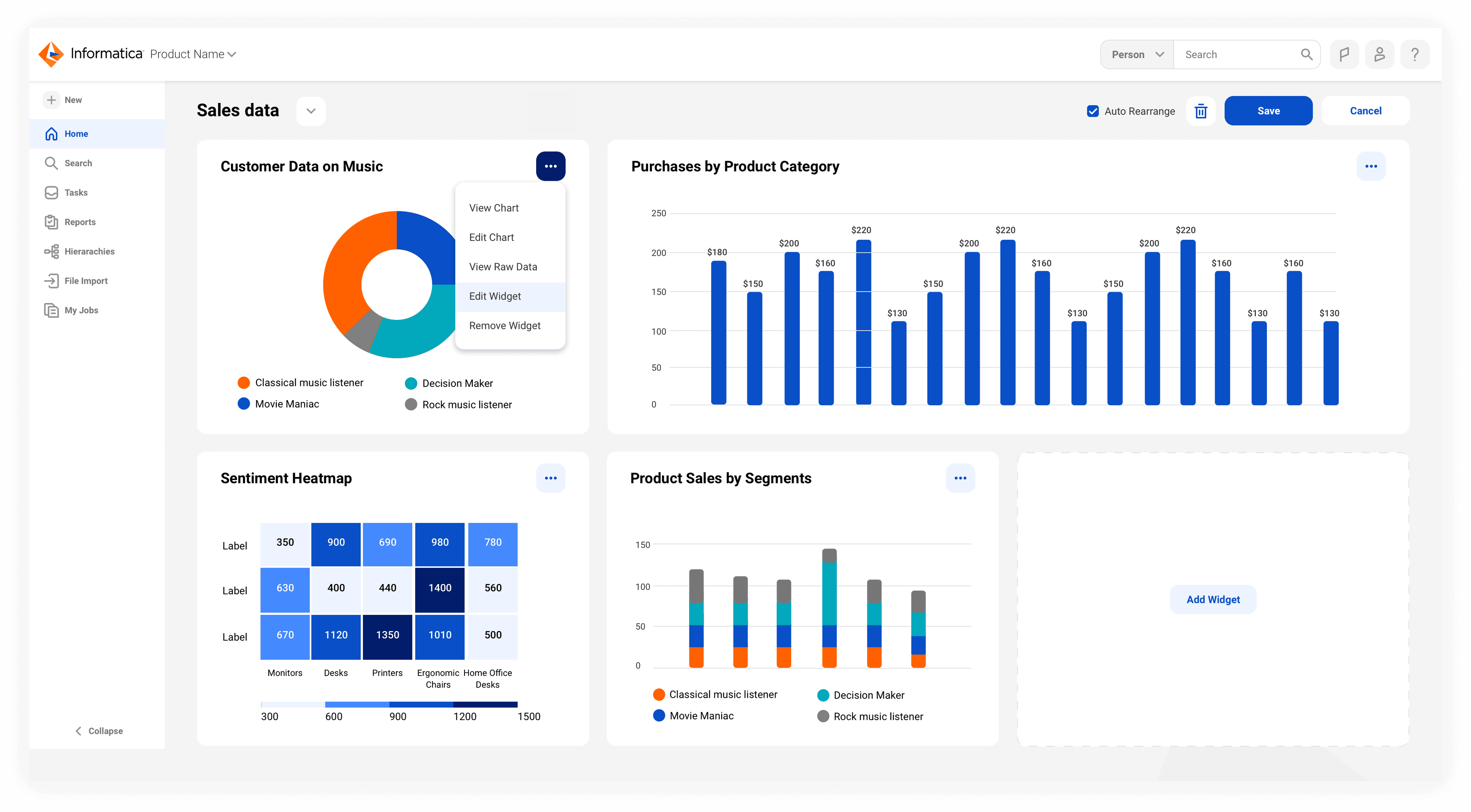
✅ Edit mode for a dashboard page
✅ Create a new chart widget component
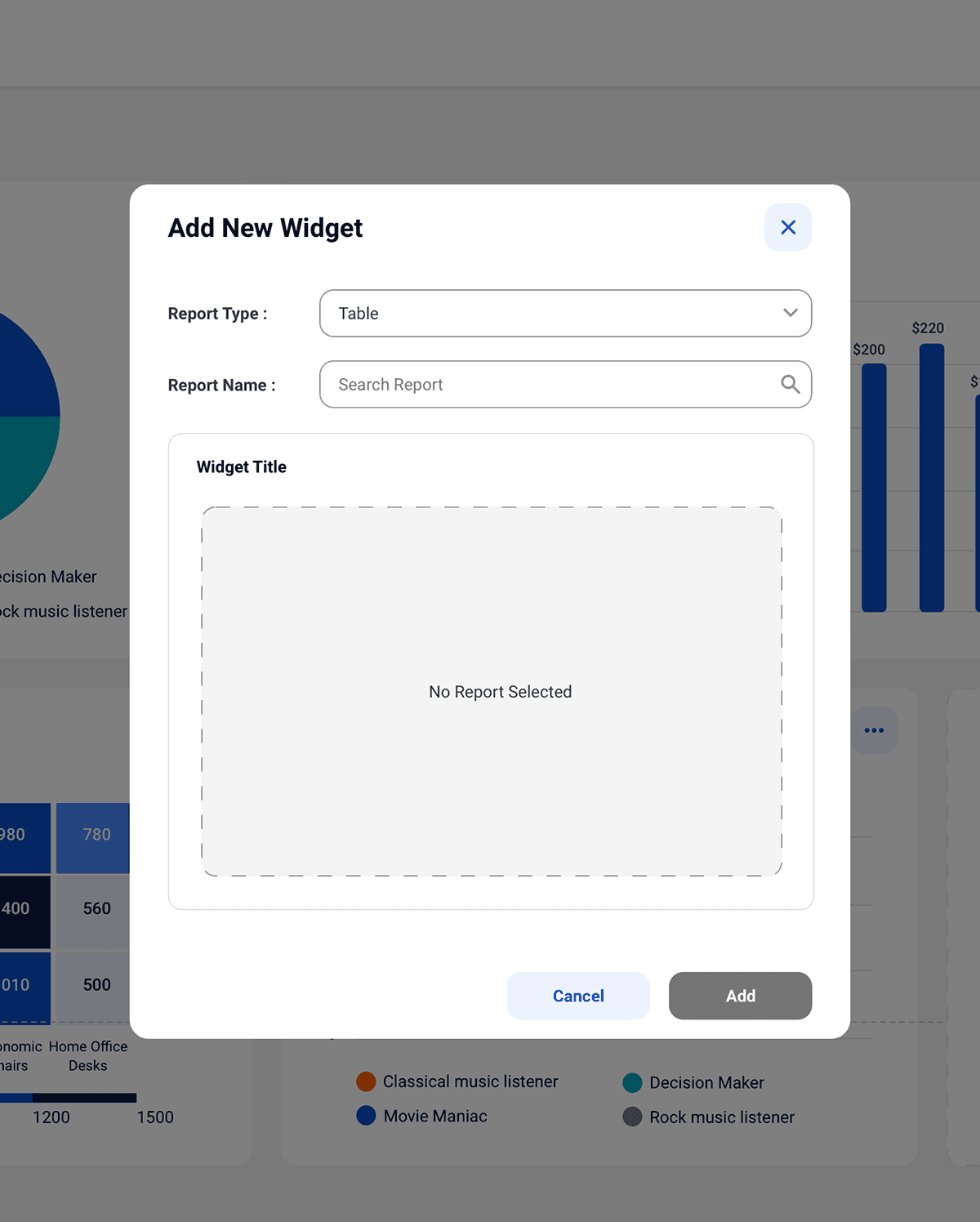
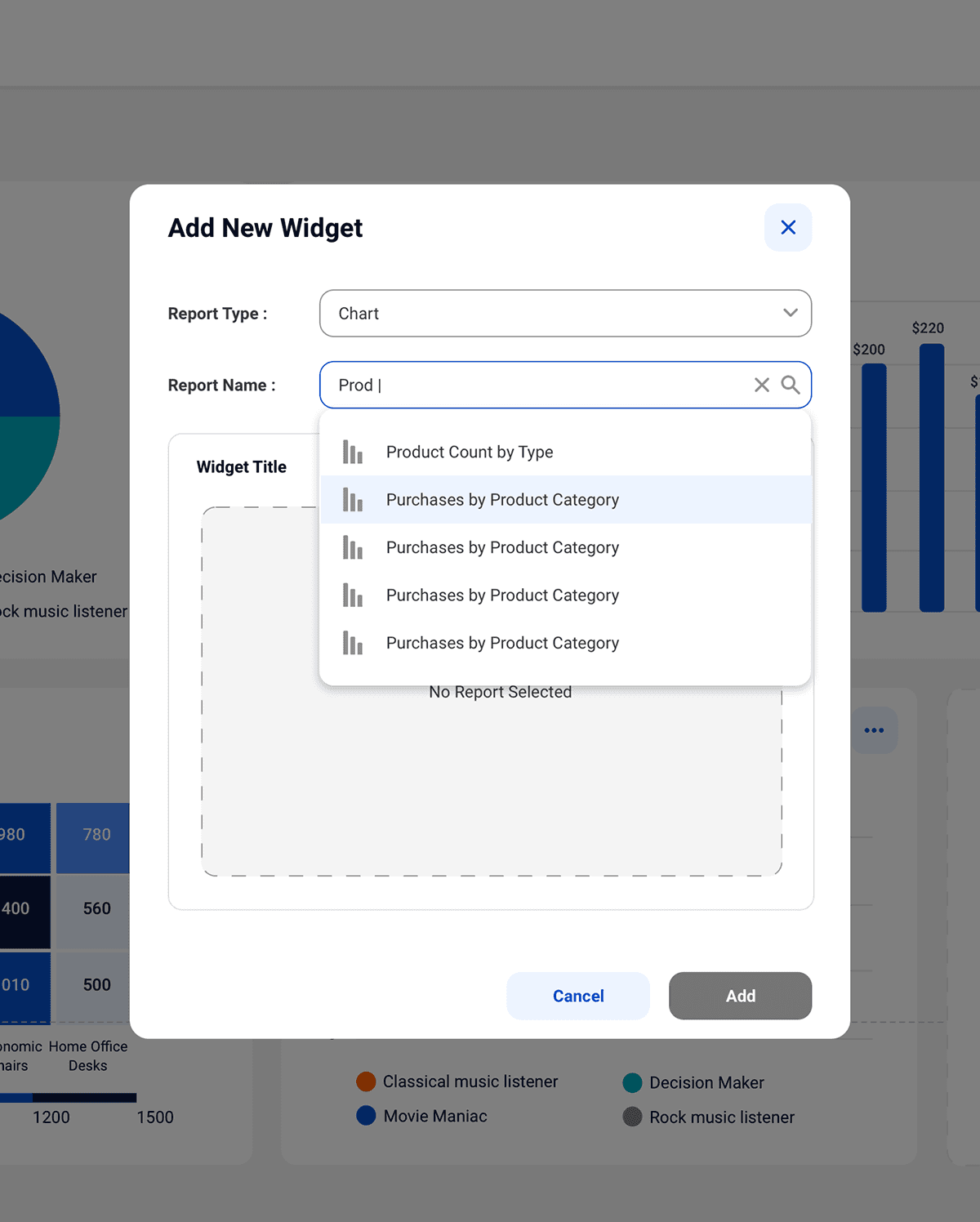
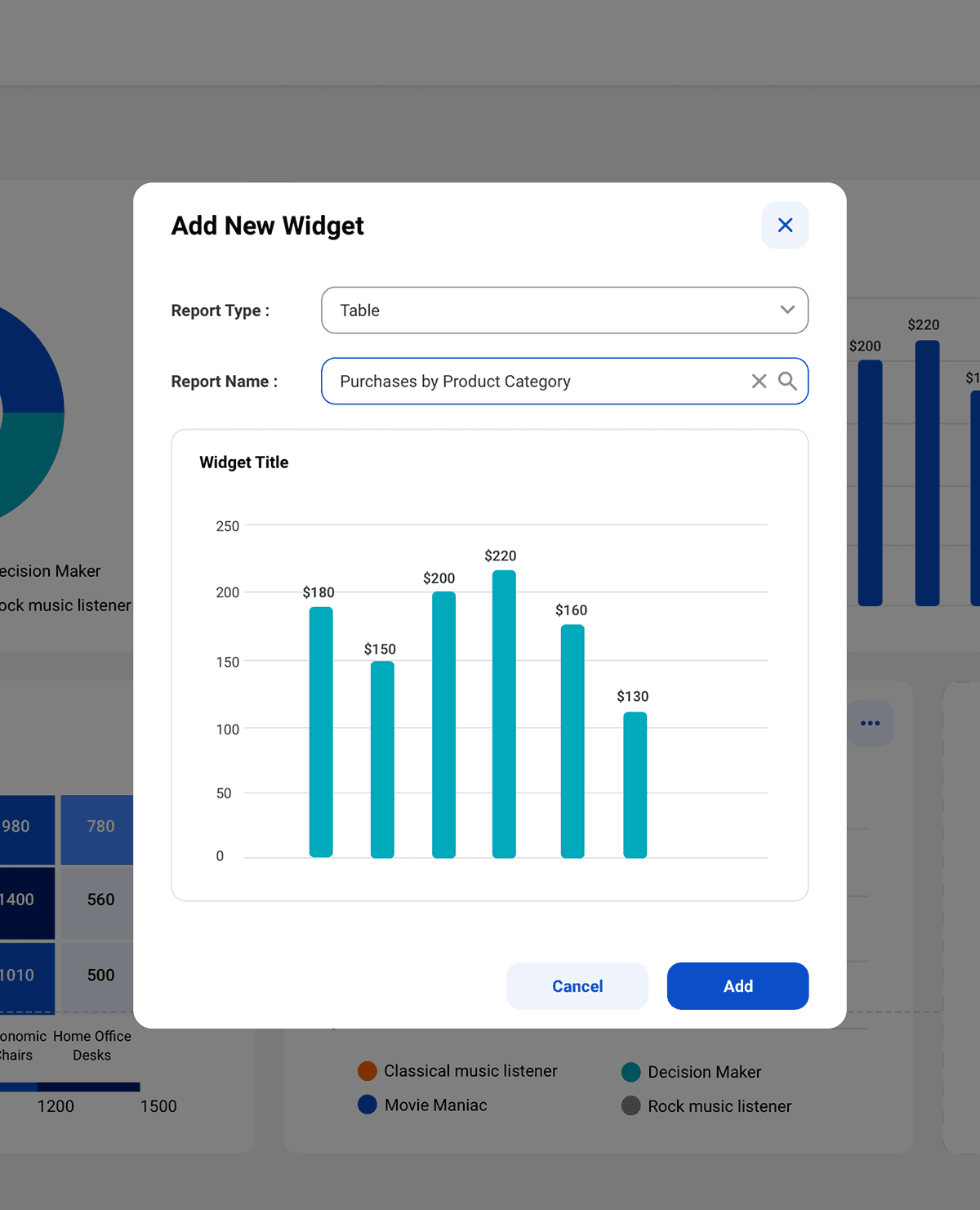
✅ Create a new chart widget component
Impact & outcomes
+50% increase in user satisfaction (5.8 → 8.7)
#1 most-used platform feature in Q2 2023
Design system adoption across company products
Dashboard UX guidelines created for cross-team implementation
Restrictions and Challenges
Fixed Layout Hard-Coded to the page
Disadvantage:
Activation and required forms (used to be web only) were consolidated into a single, guided entry point within the app.
Impact & outcomes
+50% increase in user satisfaction
Score improved from 5.8 → 8.7 within one quarter after launch.
Most-used platform feature
The new dashboard became the most used feature in Q2 2023 based on click rate.
Company-wide design impact
Visual improvements were added to the design system and adopted across multiple products.
Scalable UX foundation
Created dashboard UX guidelines to support consistent implementation across design and engineering teams.
Dashboard redesign
Redesigning the Master data managment dashboard to help IT and data managers turn complex enterprise data into actionable insights.
Informatica
⚠️ Problem
The existing dashboard lacked flexibility and personalization, limiting users to a single system-generated view of common reports and resulting in low satisfaction (5.8/10).
🧑💻 Role & Scope
UX/UI Designer
2023
Cloud native desktop
Collaborators: UX, Visual, UXR, Product, Dev & Data science teams
🚀 Impact
+50%
User satisfaction
#1
Most used feature
Global
Design system adoption
About MDM 360
Users of the MDM (Master data management) platform would typically host large volume of data regarding their business entities over a period of time. The data is organized to users over lists of reports, each individual report has an option for a visual representation that can be shown over the app dashboard.
The problem
User research showed low user satisfaction (5.8/10) with the current dashboard experience. The current solution had limited capabilities compared to exciting solutions in the market: Users could have one non-personalized dashboard that was generated by the system based on a defaulted layout and presented only visual data of the most used reports. Users couldn't create multiple dashboards and manage them in one place, based on their personal business needs.
Goal
Provide users with a dashboard experience that will allow them to consume multiple visual data based on their business needs and make business decisions based on this data.
Grounding the problem with data
27
CX interviews
~11K
User surveys
10
1:1 user interviews
Key insights
Users need a way to remove/ edit widgets on the dashboard
Users want to control/ customize the type of visual representation that will be presented for individual report
Users need an environment to create and manage multiple dashboards
Crafted with creativity, late-night iterations, Ctrl+Z reflexes, and a carefully curated playlist.
© Chen Segal 2025
Crafted with creativity, late-night iterations, Ctrl+Z reflexes, and a carefully curated playlist.
© Chen Segal 2025
Crafted with creativity, late-night iterations, Ctrl+Z reflexes, and a carefully curated playlist.
© Chen Segal 2025